


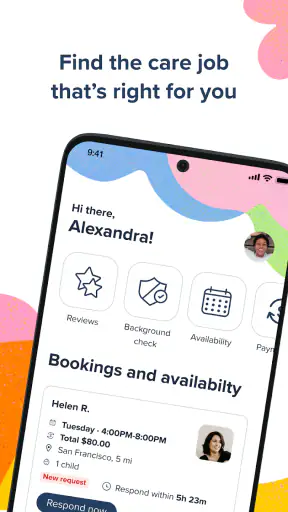
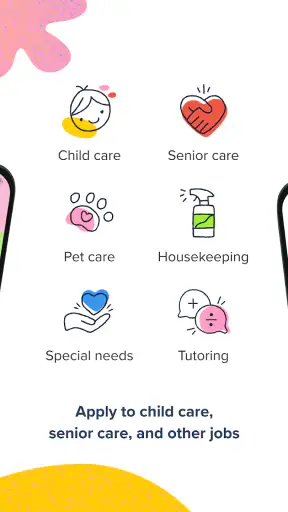
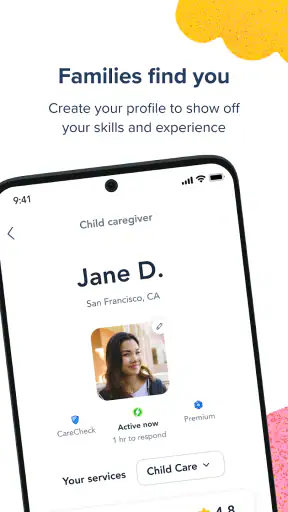

Finding dependable care work can be surprisingly time-consuming. You may need to compare several kinds of jobs, explain your experience repeatedly, and keep track of messages while also managing your normal routine. Care.com: Find Caregiver Jobs is designed to bring those opportunities into one place, covering child care, senior care, pet care, and housekeeping. I see it as a practical starting point for people who want to explore care-related work without relying only on personal contacts or scattered local listings.
What makes the app useful is its broad focus. Instead of being limited to babysitting or one type of domestic work, it lets a caregiver look across several services that may match different skills and schedules. That flexibility is valuable, although it also means you need to be selective. A wide range of listings can save time, but only if you read each opportunity carefully rather than applying to everything that appears relevant.
Care.com Inc developed the app as a free Lifestyle application for an Everyone audience. It has been available since May 31, 2018, and the current version is 25.53, with support beginning at Android 8.0. Its audience is already substantial, with over a million installs, an average rating of 4.6 from around sixteen thousand ratings, and roughly six thousand reviews. Those figures suggest that it has become a familiar tool for people searching for care work, though popularity alone should not replace your own judgment about a particular listing or employer.
How the app feels when searching, applying, and returning later
Speed expectations during ordinary browsing
In everyday use, I would approach this app as a task-focused job search tool rather than something that should be left open all day. The most important experience is how quickly you can move from choosing a care category to understanding whether an opportunity fits your life. When the app responds normally, the process feels more useful when you have already decided what you are looking for: occasional child care, regular senior support, pet care visits, or housekeeping work.
The app is most effective when you use short, deliberate sessions. I would open it with a basic plan, review the newest possibilities, remove anything that conflicts with my availability, and then spend more time on the remaining options. This approach reduces the chance of wasting energy on attractive-looking work that is too far away, too demanding, or poorly matched to my experience.
There is an important difference between technical speed and practical speed. Even if screens load quickly, a caregiver still needs time to judge responsibilities, location, schedule, and communication expectations. The app can shorten the discovery stage, but it cannot remove the careful decision-making that should happen before accepting a job. In my view, that is a healthy limitation: fast browsing is helpful, but rushing into care work is not.
For someone who checks opportunities during a commute or a short break, the best workflow is to save only the listings that deserve a closer look. I would avoid trying to complete every part of a search in a few seconds. A quick first pass is useful for spotting possibilities, while a slower second pass is better for checking whether the work actually suits you.
What happens when several opportunities compete for attention
The heavier moments are not necessarily about technical strain. They are more likely to happen when you are comparing multiple kinds of work at once. A person may begin with child care, notice a senior care opportunity nearby, then switch to pet care because the schedule looks easier. That flexibility is one of the app’s strengths, but it can also make the search feel scattered.
I recommend separating discovery from decisions. During discovery, collect a small group of realistic options. During the decision stage, compare them using the same questions: What hours are required? How consistent is the work? Does the responsibility match my experience? Is the location practical after travel time? Would I be comfortable asking the necessary questions before agreeing? This method turns a broad search into something manageable.
A realistic example would be a caregiver who has weekday mornings available but cannot commit to late evenings. The app may reveal child care requests, housekeeping jobs, and pet visits that appear close enough geographically. Rather than applying to all three categories immediately, I would first remove anything with incompatible hours, then compare the remaining responsibilities. A short pet visit might fit better than a longer child care shift, while a housekeeping role could be worthwhile only if travel does not consume the earnings and time saved by using the app.
Another demanding moment comes when you return after being away for a while. New opportunities may change the shape of your search, especially if your availability has changed. I would treat each return visit as a fresh review of priorities instead of assuming that an old search strategy still works. This is particularly important for people whose schedules change around school terms, family commitments, or seasonal work.
Reliability is more than an app opening successfully
For a care-work platform, reliability has two sides. The first is the application itself: can you open it, browse opportunities, and continue your search without unnecessary friction? The second is the quality and dependability of the people and arrangements you encounter through it. The app can help organize the search, but it cannot make every opportunity equally suitable or every arrangement equally dependable.
I would not treat a promising listing as a confirmed job. The responsible next step is direct communication, followed by clear questions about duties, timing, location, expectations, and any details that affect safety or comfort. This is not a criticism unique to Care.com; it is simply the reality of using a platform that connects people rather than replacing the relationship between caregiver and household.
The app is more reliable as a discovery and organization aid than as a substitute for personal judgment. That distinction matters for first-time caregivers. A polished listing can still leave important practical questions unanswered, and a caregiver should be prepared to walk away if the arrangement does not feel clear. I prefer this cautious approach because care work involves children, older adults, animals, and private homes, where misunderstandings can have real consequences.
Returning to the app regularly can also make the search feel more dependable than checking only once. Opportunities change, and a single visit may not represent what is available later. I would use a simple routine: check when I have genuine availability, review promising options calmly, and record which conversations need a response. The value comes from consistency rather than from endlessly refreshing the screen.
Device constraints and practical resource use
Care.com: Find Caregiver Jobs supports Android 8.0 and later, so it is available to many users with older devices as well as newer phones. That is helpful for caregivers who do not replace their phone frequently. At the same time, an older operating system can affect the general experience of any modern app, especially if the phone has limited free storage, an aging battery, or many other applications competing for attention.
I would keep the app for purposeful sessions rather than assuming it should run continuously in the background. A job-search tool does not need to occupy your attention all day. Closing other demanding applications before browsing may make the phone feel more responsive, particularly on an older device. Keeping the operating system and the app current where possible is also a sensible maintenance habit, since the current version is 25.53.
Resource demands are especially relevant for caregivers using a budget phone. If your device already struggles with ordinary browsing, switching between messages, maps, and other tools, you may notice more friction while researching opportunities. In that situation, the limitation may be the wider workflow rather than this app alone. I would avoid making an important application decision while the phone is low on battery or while multitasking heavily.
There is also a practical screen-size issue. Reading care responsibilities and comparing several opportunities is easier on a comfortable display than on a very small phone. If something seems unclear, I would not rely on a quick glance. The app can help you find work, but the quality of your decision depends on being able to read and think through the details properly.
Who will get the most from it
This app suits people who want several care categories available in one search. A caregiver with experience in more than one area can use that range to adapt when one type of work is quiet. Someone who provides both pet care and housekeeping, for example, may find it convenient to look for either instead of maintaining separate routines across unrelated services.
It can also be useful for people entering care work who need to understand what kinds of opportunities exist. Browsing child care, senior care, pet care, and housekeeping can help clarify which responsibilities match your skills and preferences. I would still recommend starting with the area where you can describe your experience most confidently, then expanding only when the duties are genuinely familiar.
The app is less suitable for someone who wants a guaranteed schedule, instant income, or a completely managed employment experience. It is also not the right choice for a person unwilling to communicate, compare arrangements, or perform their own checks before accepting work. If you already have a strong local network that reliably fills your calendar, a general care marketplace may add unnecessary browsing rather than meaningful value.
How it compares with familiar alternatives
The usual alternative is searching through local community groups, personal recommendations, noticeboards, or general job sites. Those methods can be excellent when trust and local knowledge matter most. A recommendation from someone you know may feel more reassuring, while a general job site may offer a wider variety of employment outside care. Care.com’s advantage is concentration: it keeps child care, senior care, pet care, and housekeeping opportunities within the same care-focused environment.
That concentration makes the app more convenient than searching several unrelated places, but it does not automatically make every opportunity better. Local contacts may give you more context about a household, while a broader employment site may be preferable if you want formal roles in larger organizations. I would choose Care.com when I want to explore care work across categories, and I would use local recommendations alongside it when trust, proximity, and personal references are especially important.
The free price also lowers the barrier to trying it. You can explore whether the app fits your search routine without paying simply to begin browsing. Still, free access should not be confused with a promise that finding suitable work will require no effort. You are exchanging money cost for time, attention, communication, and careful evaluation.
Small habits that make the search more effective
My first practical tip is to define a narrow availability window before opening the app. “Available during the week” is too vague to guide good decisions. A clearer window, such as weekday mornings or alternating weekends, gives you a faster way to reject unsuitable opportunities and prevents you from overcommitting.
Second, keep separate mental notes for work you would accept immediately, work that needs clarification, and work that does not fit. This sounds simple, but it prevents promising possibilities from becoming a confusing pile of half-decisions. It is particularly useful when moving between care types, because the responsibilities and questions differ significantly.
Third, compare travel and preparation time, not only the visible working hours. A short assignment may look attractive until transport and setup make it impractical. This is one of the most important trade-offs in care work, and an app can make opportunities easier to find without making the surrounding logistics disappear.
Finally, use the first conversation to test clarity. Ask about the normal routine, what would count as an urgent situation, and how changes are handled. You are not being difficult by asking these questions. Clear expectations protect both sides and help you distinguish a genuinely suitable opportunity from one that only looked convenient in a quick search.
My performance verdict after weighing convenience against effort
Care.com: Find Caregiver Jobs is a useful, focused option for people who want to search across child care, senior care, pet care, and housekeeping without starting from several disconnected sources. I like its broad care-work scope, free entry point, and suitability for users who need to adapt their search as their skills or schedule change. Its established presence, strong average rating, and large install base also make it feel like a serious platform rather than a niche experiment.
My reservation is not about expecting a job-search app to do more than it can. The real work begins after an opportunity catches your eye. You still need to judge the arrangement, communicate clearly, consider travel, and decide whether the responsibilities are right for you. Users looking for certainty, guaranteed hours, or a fully managed hiring process may find the experience less satisfying.
On a supported Android device, I would expect the app to be most comfortable when used in short, organized sessions rather than during frantic multitasking. Its practical performance depends as much on your search habits and phone condition as on the app itself. I would recommend it to caregivers who value choice and are willing to evaluate opportunities carefully. I would skip it only if your needs are limited to one trusted local source or if you want a traditional employer to handle the entire process.
Overall, I see it as a sensible first stop, not a final decision-maker. It can widen your view of available care work and make the early search more convenient, while the responsibility for choosing a safe, realistic, and respectful arrangement remains with you. Used that way, Care.com: Find Caregiver Jobs earns its place in a caregiver’s toolkit without pretending to replace good judgment.


